Snapshots

Streamline Your Content Creation: The Unsung Hero of Digital Workflow
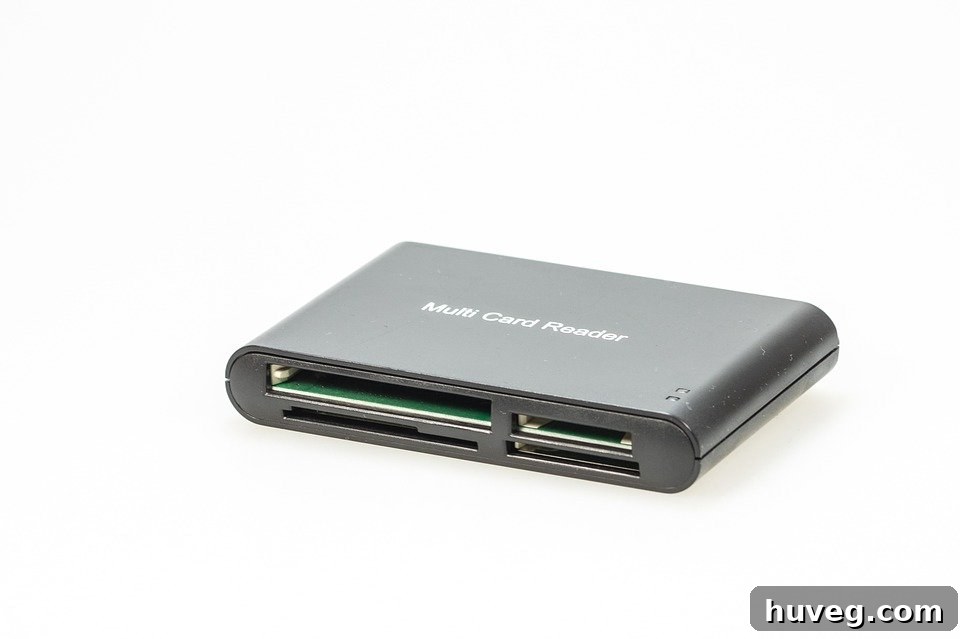
In the dynamic world of blogging and content creation, efficiency is paramount. Every second saved, every frustration avoided, contributes to a smoother workflow and ultimately, better content. As I’ve delved deeper into the realm of digital publishing over the past few weeks, I’ve come to a profound realization: sometimes, the most useful tools are the ones we take for granted. Far from being a gadget fanatic myself, I want to shine a spotlight on a piece of equipment that has become an indispensable cornerstone of my blogging arsenal. It’s not my computer, nor my camera; it’s my high-speed card reader.
For many content creators, the process of transferring photos and videos from camera to computer can often be a cumbersome bottleneck. Traditional methods, such as connecting your camera directly via USB cable, are notorious for their slow speeds, drain on camera battery life, and the inconvenience of tangled wires. This is where a dedicated high-speed card reader steps in, transforming a tedious task into a quick, effortless step in your creative journey. It’s a small device with a monumental impact on productivity and peace of mind.
Rather than relying on cumbersome USB cables and direct camera connections, this compact powerhouse truly simplifies the data transfer process. This little guy effortlessly fits into my camera bag, completely free of tangled cords. The workflow couldn’t be simpler: I just pop out the memory card from my camera, insert it into one end of the reader, and then plug the other end directly into my computer’s USB port. It’s incredibly lightweight, remarkably compact, and all my valuable pictures and videos are instantly accessible without the frustrating delays of data transfers or the need to download clunky picture software. Furthermore, thoughtful design includes two protective caps to safeguard both ends from potential damage during transport, ensuring its longevity even with frequent travel.
Explore other high-speed card reader options here.
Why a Dedicated High-Speed Card Reader is Indispensable for Bloggers
The advantages of integrating a high-speed card reader into your content creation workflow extend far beyond mere convenience. They translate directly into increased productivity, enhanced data security, and a more streamlined creative process. Let’s delve into some of the key benefits:
- Blazing Fast Data Transfer: Modern cameras capture high-resolution images and increasingly large video files (4K, 8K). Transferring these files via a slow camera connection can take ages. A USB 3.0 or 3.1 compatible high-speed card reader can drastically cut down transfer times, often by several minutes for large batches of files, freeing you up to focus on editing and publishing.
- Extended Camera Battery Life: When you connect your camera directly to your computer for data transfer, it draws power, thereby draining its battery. By removing the memory card and using an external reader, your camera’s battery is preserved for what it does best: shooting.
- Reduced Wear and Tear on Camera Ports: Repeatedly plugging and unplugging USB cables into your camera’s delicate port can lead to wear and tear or even damage over time. A card reader eliminates this frequent strain, prolonging the lifespan of your camera’s connectivity ports.
- Superior Portability and Compactness: Unlike bulky camera cables, most card readers are incredibly small, often no bigger than a USB flash drive. This makes them ideal for travel, fitting easily into any camera bag, laptop sleeve, or even your pocket.
- Universal Compatibility: While cameras might have proprietary cables, memory card readers are designed to be universally compatible with various operating systems (Windows, macOS, Linux) and can read multiple types of memory cards (SD, microSD, CompactFlash, XQD, etc.), depending on the model.
- Simplicity and Ease of Use: There’s no software to install, no drivers to update. It’s a true plug-and-play device that makes accessing your media as straightforward as possible.
Choosing the Right High-Speed Card Reader
While the concept is simple, the market offers a variety of card readers. To ensure you pick the best one for your needs, consider these factors:
- Memory Card Compatibility: Do you primarily use SD cards (SDHC, SDXC), microSD, CompactFlash (CF), or perhaps the newer XQD or CFexpress cards? Ensure your chosen reader supports the types of cards your camera uses. Multi-card readers offer versatility if you work with different devices.
- USB Interface: This is crucial for speed. Look for USB 3.0, USB 3.1 Gen 1, or USB 3.1 Gen 2 readers. These offer significantly faster transfer speeds than older USB 2.0 models, which is essential for large photo and video files. Ensure your computer also has compatible USB ports to take full advantage of the speed.
- Build Quality and Durability: If you’re often on the go, a robust reader with a solid casing (like aluminum) and protective caps for the connectors will withstand the rigors of travel better than flimsy plastic models.
- Portability: Some readers are tiny dongles, others are larger desktop hubs. Choose one that matches your mobility needs. Smaller readers are perfect for minimalist setups, while larger ones might offer more card slots.
- Brand Reputation and Reviews: Opt for reputable brands known for quality and reliability. Check online reviews to see real-world performance and user experiences.
- Price Point: High-speed card readers are generally affordable, ranging from under $10 to $50 for professional multi-card hubs. Consider your budget, but remember that a slightly higher investment can mean significant time savings in the long run.
Beyond the Reader: Building an Efficient Content Creation Workflow
While a high-speed card reader is a game-changer, it’s just one piece of the puzzle in an optimized content creation workflow. Thinking holistically about your tools and processes can further enhance your productivity.
Other Essential Gadgets for Bloggers and Content Creators:
- External Hard Drives/Cloud Storage: Regular backups are non-negotiable. Invest in reliable external hard drives or subscribe to cloud storage services to protect your valuable content from loss. Consider a RAID setup for ultimate redundancy.
- Quality Lighting Equipment: Whether you’re shooting photos, videos, or even just participating in video calls, good lighting is crucial. A ring light, softbox, or even a good desk lamp can dramatically improve the visual quality of your content.
- Microphones: If your content involves voiceovers, podcasts, or video commentary, a dedicated external microphone (USB or XLR) will provide vastly superior audio quality compared to built-in camera or laptop mics.
- Tripods and Gimbals: For stable, professional-looking shots, a sturdy tripod is essential. For dynamic video, a handheld gimbal can provide smooth, cinematic footage.
- Ergonomic Workspace Accessories: A comfortable chair, an external monitor, a good keyboard, and an ergonomic mouse might not directly create content, but they prevent fatigue and injury, allowing you to work more efficiently for longer periods.
- Power Banks: For on-the-go shooting, a high-capacity power bank can keep your phone, action camera, or other USB-powered devices charged, ensuring you never miss a moment.
Streamlining Your Digital Workflow:
Beyond hardware, consider your software and organizational habits. Implement a consistent file naming convention, organize your files into logical folder structures, and regularly purge unnecessary drafts. Utilize project management tools if you collaborate or manage multiple content pieces simultaneously. A well-organized digital workspace significantly reduces time spent searching and managing files, allowing more time for creative tasks.
The Investment That Pays Dividends
I picked up my high-speed card reader last year when shopping for accessories for my camera. I believe it was somewhere under $10, an incredibly modest investment. In my opinion, considering how frequently I use it – almost daily – it has paid for itself countless times over in saved time, reduced frustration, and the sheer convenience it brings to my digital life. It’s a testament to the idea that sometimes the most impactful tools aren’t the most expensive or complex ones, but rather those that seamlessly integrate into our routine and solve a common pain point with elegant simplicity.
What about you, fellow content creators and digital enthusiasts? Are there any small, unassuming gadgets that have become utterly indispensable in your daily workflow? Is there a particular tool you use that you believe outperforms common alternatives? Share your insights and recommendations; I’m always eager to discover new ways to enhance efficiency and simplify the creative process. Do tell!