Curse of the Ugly Duckling Manor

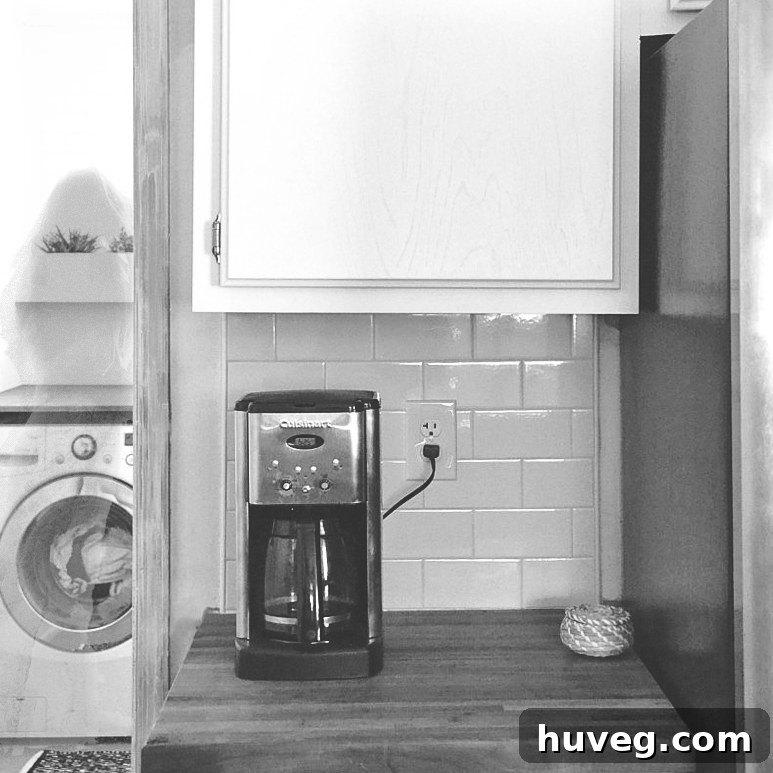
As the leaves turn and a chill fills the autumn air, our thoughts often drift to the enchanting possibilities of Halloween. This year, like many others, I harbored grand aspirations for crafting elaborate DIY costumes. The vision was clear: glitter, intricate details, and a splash of movie magic. However, the best-laid plans often encounter the real-world challenge of overflowing schedules and mounting commitments. Despite our fervent intentions, the whirlwind of daily life meant our ambitious costume projects simply couldn’t coalesce in time. A slight pang of disappointment, perhaps, but a creative spirit is rarely deterred for long.
But fear not, for where one door closes, another, often more spectral, opens…
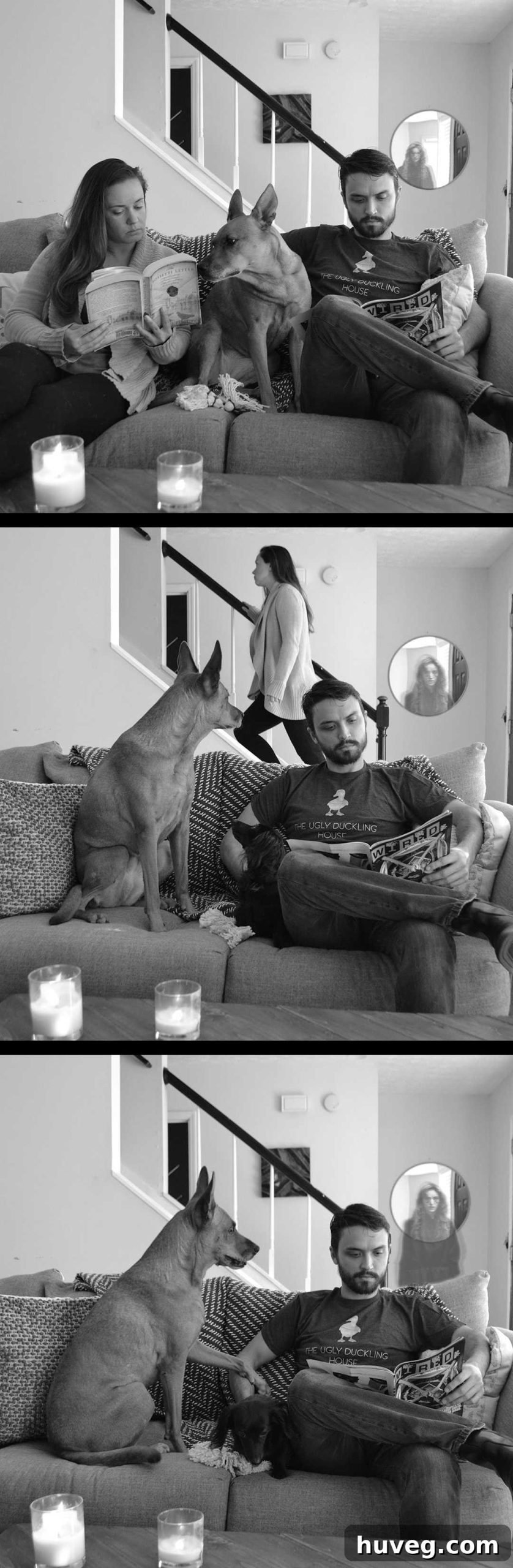
While foregoing the physical glitter and special effect makeup, a beloved tradition that yielded memorable results like last year’s Disgust costume, we discovered an equally thrilling avenue for Halloween fun: the digital realm of Photoshop. This powerful software transformed our disappointment into an exciting opportunity for imaginative expression, proving that creativity knows no bounds, even when time is scarce.
The inspiration for our digital escapade stemmed from a shared obsession. K and I had been utterly captivated by the new Netflix sensation, The Haunting of Hill House. Its masterfully crafted atmosphere, chilling narrative, and especially its ingenious use of subtle “hidden ghosts” scattered throughout each scene, left a lasting impression. This show sparked an idea: what if we could conjure our own spectral apparitions, subtly woven into our everyday photographs?
As a relative newcomer to the intricate world of Photoshop, this project became an invaluable learning experience. It offered a practical, engaging way to grasp fundamental techniques and discover new tricks that extend far beyond spooky seasonal effects. The skills acquired—from layer manipulation to advanced selection tools—are universally applicable for enhancing ordinary photos, ensuring that every moment spent was a worthwhile investment in my creative toolkit. I initially shared these eerie creations on Instagram, and the enthusiastic response convinced me to detail my process. My only regret is not documenting each step with screenshots at the time, as I wasn’t initially planning a full tutorial. Nevertheless, I’m delighted to share my notes, hoping they provide a clear path for anyone looking to add a touch of spectral magic to their own images.
The beauty of digital creativity, especially with tools like Photoshop, lies in its boundless possibilities and the ability to correct or refine without physical waste. It’s an accessible playground for anyone looking to add a personalized, artistic flair to their visual content. Whether you’re a seasoned photographer or a complete novice, exploring these digital effects can transform a simple photo into a captivating story. It empowers you to bring imaginative concepts to life, even if your real-world DIY projects face unexpected delays.
This journey into Photoshop’s capabilities wasn’t just about creating spooky images; it was about demystifying a complex tool and demonstrating that even sophisticated effects can be achieved with a foundational understanding and a willingness to experiment. The subtle horror inspired by *The Haunting of Hill House*, where ghosts were often barely perceptible, prompted us to focus on the art of visual suggestion rather than overt scares. This approach not only enhanced the eerie quality of our photos but also challenged me to master the nuances of digital manipulation. Should there be sufficient interest and questions, I may revisit this post to recreate one of the photos with step-by-step screenshots to provide a more visual guide.
How to Add a “Hidden” Ghost to Your Photos with Photoshop: A Step-by-Step Guide
Creating a believable, subtly hidden ghost in your photos with Photoshop is an incredibly rewarding process that combines creative vision with technical execution. Follow these steps to transform your ordinary pictures into delightfully eerie masterpieces, perfect for Halloween or any time you wish to add a touch of the supernatural.
- Selecting Your Scene: The Foundation of the Illusion
Begin by choosing a photo that features a clear main subject but also offers potential hiding spots for your spectral guest. Think about areas where a ghost could naturally lurk: peeking from behind furniture, reflected subtly in a mirror, partially obscured by a doorway, or even just at the periphery of the background. For instance, our couch photos were specifically taken with the intention of placing a ghost within the frame, ensuring ample space and appropriate angles for the effect. Consider the composition carefully; a well-chosen background is paramount for a convincing hidden ghost. - Setting the Mood: Embracing Monochrome and Contrast
Once you have your base image, convert it to black and white. This instantly lends a timeless, eerie, and classic horror film aesthetic, making the ghost effect inherently more believable and atmospheric. After desaturating the image, significantly increase the contrast. This adjustment deepens shadows and brightens highlights, adding dramatic tension and helping the ghost layer integrate more seamlessly into the stark visual landscape. - Finding Your Phantom: Sourcing the Perfect Spectral Figure
The next crucial step is to find a suitable stock photo of a figure to transform into your ghost. It is absolutely vital to use images legally and ethically. Reputable free stock image sites like Unsplash or Pixabay offer a wealth of high-quality options. Avoid merely grabbing images from Google Image Search, as this can lead to copyright infringement. Look for figures with dynamic poses, perhaps walking away, or with a sense of quiet mystery. I personally utilized this particular image, which provided an excellent starting point, but many diverse figures can work. - Bringing the Spirit In: Isolating and Integrating Your Ghost
Open your chosen stock image in Photoshop. Use precise selection tools such as the Lasso Tool, Magic Wand Tool, or Quick Selection Tool to carefully isolate the outline of the figure you wish to use as your ghost. The goal is a clean cut-out. Once selected, copy the figure and paste it into your main Halloween photo. This action will automatically create a new layer for your ghost, which is fundamental for non-destructive editing. - Shaping the Apparition: Scaling, Opacity, and Texture
With your ghost on its own layer, you can now manipulate it to fit your scene. Use the Free Transform tool (Ctrl/Cmd + T) to stretch or shrink the layer, ensuring the ghost appears to scale naturally within your photo’s perspective. The key to an ethereal ghost is transparency: reduce the layer’s Opacity significantly, usually somewhere between 15-40%, until the ghost appears semi-transparent. Next, convert this ghost layer to black and white (if your main image isn’t already, or if the stock photo was color). To enhance the spectral quality and mimic the grainy look of vintage photography or otherworldly energy, add a subtle amount of “noise” to this layer. - Duplicating the Ethereal Effect: Creating Depth and Movement
To add more depth and a sense of “phasing” or subtle movement, duplicate your ghost layer. You’ll want to duplicate the layer *after* applying the black and white, opacity, and noise effects, so both layers start with the same ghostly foundation. (While there might be more streamlined ways to achieve this, simply duplicating the layer and its effects works perfectly for this technique, so don’t fret over finding a ‘perfect’ workflow if this gets the job done.) - Warping the Veil: Adding a Sense of Distortion
Select one of your duplicated ghost layers. Apply a “warp” transformation to it (Edit > Transform > Warp). Gently distort this layer so it overlaps the other ghost layer, but not perfectly. The subtle misalignment creates a haunting, “there-but-not-there” creepiness, as if the ghost is materializing or shimmering out of focus. Experiment with slight bends and twists to achieve a truly unsettling effect that suggests an entity not fully grounded in our reality. - The Spectral Glow: Illuminating the Unseen
Now, focus on the other duplicated ghost layer. Add a “glow” effect to it. You can experiment with either an “outer glow” or an “inner glow” from the Layer Styles menu. This soft, luminous halo makes the edges of the ghost appear slightly fuzzy and diffused, enhancing its otherworldly presence. Adjust the glow’s color (often white or a very light gray), size, and spread until it subtly illuminates the spectral figure without overpowering the other effects. This contributes to the illusion of an energy field or a shimmering, fleeting form. - Refining the Illusion: The Art of Subtle Adjustment
This stage is all about meticulous refinement. Continuously play with the opacity levels of both ghost layers and the glow effect. Experiment with different blending modes (e.g., Screen, Overlay, Soft Light) for your ghost layers to see how they interact with the background and create varying degrees of transparency and luminescence. The goal is to make the ghost look like it truly belongs in the scene, a barely perceptible resident of the shadows, rather than an obvious cut-and-paste job. - Precision Placement: Advanced Masking for Realism
For ultimate realism, especially when the ghost interacts with objects in the foreground or background, mastering selection tools is key. When I needed to make part of the ghost appear in a mirror’s reflection or behind a couch, I utilized the Elliptical Marquee Tool (you can change it from its default rectangle to a circle for reflections) to precisely cut out the relevant portion. For instances where a ghost’s dress needed to be hidden behind the arm of a couch, the Lasso Tool proved invaluable for tracing intricate lines and deleting (or, even better, masking) the unwanted sections of the ghost layer. Using layer masks is a non-destructive way to hide parts of a layer, allowing you to refine edges and bring back parts of the ghost if needed, without permanently altering the original pixels.
While I’m confident that dedicating a few more hours could push these images to an even higher level of polish and realism, the sheer joy and learning experience derived from this project were immeasurable. It was a fantastic way to delve into Photoshop’s capabilities and acquire new techniques that will undoubtedly enhance future photographic endeavors. What made the experience even more special was K’s enthusiastic participation. Watching them engage with the creative process and increasingly understand the ‘my life is often on the internet’ aspect of blogging was truly heartwarming. It transforms a solo creative pursuit into a shared adventure.
In hindsight, the mind races with even more subtle possibilities. I now envision placing an even more fleeting, spooky face in the narrow doorway visible past the stairs in one of the images, aiming for an even more subliminal fright. But such thoughts are for “next year,” for the spirit of creativity is always seeking new horizons. The delight of snapping photos with our beloved dogs as part of the spooky setup was so much fun that I can’t imagine not repeating an activity like this again. I sincerely hope you all had a wonderfully memorable Halloween, however you chose to celebrate!
Now, as the spectral echoes of Halloween begin to fade, my focus, like that of many in the blogging and content creation sphere, irrevocably shifts. For me, tomorrow marks the unofficial commencement of the Christmas frenzy. I am acutely aware that for a significant portion of the audience, the thought of Christmas posts in early November might seem premature. However, such is the cyclical nature of the Pinterest and blog world. To produce high-quality holiday content, decorating, shooting, editing, and writing must all be meticulously planned and executed well in advance. This extended planning period is not merely a professional necessity; it’s a personal luxury. It allows me the invaluable opportunity to complete the extensive work required for holiday posts while simultaneously being able to fully immerse myself in and genuinely enjoy the festive season. I have a plethora of exciting content brewing, including the launch of a new cross-stitch series that I’m eager to unveil tomorrow. These coming weeks promise to be exceptionally busy, and it’s highly probable that I will maintain my tradition of posting more frequently leading up to the new year. Until then, have a magnificent time, wherever your creative journey takes you!