Prepare for Impact

Elevate Your Entertainment: A Comprehensive Guide to DIY Wall Mounting Your TV (and Hiding Those Pesky Wires!)
There’s nothing quite like transforming your living space with a simple yet impactful home improvement project. For us, it began with a festive Christmas upgrade: a sleek, new flat-screen TV for the living room, which meant our older, smaller set found a new home in the primary bedroom. After the initial excitement of setting up the living room’s new entertainment hub, a quiet snowfall provided the perfect opportunity to tackle the next phase: mounting the bedroom TV on the wall. This wasn’t just about freeing up dresser space; it was about optimizing our viewing experience and creating a cleaner, more streamlined aesthetic.
Wall mounting a TV offers numerous benefits, from enhancing room aesthetics to improving safety and comfort. However, the thought of cutting into walls and managing a tangle of cables can seem daunting. Fear not! This comprehensive guide will walk you through every step of securely mounting your TV and expertly concealing those unsightly wires, ensuring a professional, clutter-free finish. While it might feel like a two-person job at times, particularly when it comes to the intricate task of snaking wires, the satisfaction of a job well done is immeasurable. Let’s dive in and transform your viewing area!
Why Wall Mount Your Television? More Than Just Aesthetics
Deciding to wall mount your TV goes beyond simply saving space; it’s a strategic choice for modern living. A wall-mounted TV instantly elevates the visual appeal of any room, giving it a sleek, contemporary feel. By freeing your TV from a stand or dresser, you declutter surfaces, making the room appear larger and more organized. This minimalist approach not only looks better but also simplifies cleaning.
Beyond aesthetics, wall mounting significantly improves viewing comfort. You can position the screen at the ideal eye-level, reducing neck strain and creating a more immersive experience, whether you’re relaxing in bed or entertaining guests. For families, wall mounting also provides a crucial safety benefit: it keeps heavy televisions out of reach of small children and pets, minimizing the risk of accidental tipping and injury. Furthermore, with thoughtful wire management, you can completely eliminate the messy visual of dangling cables, contributing to a truly polished and professional home entertainment setup.
Essential Tools and Materials for a Seamless Installation
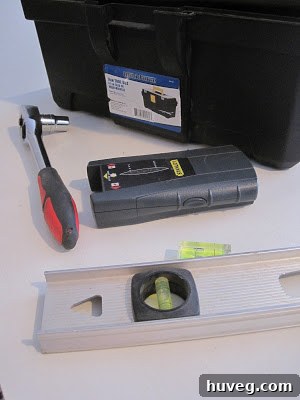
Before you begin your TV wall mounting project, gathering the right tools is paramount. Having everything you need on hand will make the process smoother, safer, and more efficient. Here’s a detailed list of what you’ll require, along with why each item is important:
- TV Wall Mounting Kit: This is the foundation of your project. Ensure it’s compatible with your TV’s VESA pattern (the four-hole pattern on the back) and can support its weight. Mounts come in various types: fixed, tilting, and full-motion. Choose one that suits your viewing needs and room layout.
- Stud Finder: Absolutely crucial for safety. This device locates the wooden or metal studs behind your drywall, which are the only secure points to anchor your heavy TV mount. Never mount a TV directly into drywall without securing it to a stud.
- Pencil: For marking drilling locations, cable entry/exit points, and the desired TV height. Precision here prevents costly mistakes.
- Level: Essential for ensuring your TV mount is perfectly straight. A crooked TV can be distracting and diminish the professional look of your installation.
- TV Connection Wires: These include HDMI cables for video/audio, optical cables for soundbars, Ethernet cables for smart TV connectivity, and any other specific cables for your setup (e.g., DVD player, satellite box). Always opt for high-quality, durable cables.
- Box Cutter / Utility Knife: Useful for making initial cuts in drywall for wire access holes or for scoring lines before using a larger saw.
- Jigsaw (or Drywall Saw): If you plan to hide your wires behind the wall (highly recommended for a clean look), you’ll need this to cut precise holes for cable entry and exit points. A drywall saw is often easier for smaller, controlled cuts.
- Measuring Tape: For accurate measurements of TV dimensions, wall placement, and cable lengths.
- Painter’s Tape (or Masking Tape): Useful for temporarily holding templates, marking, or securing wires.
- Fish Tape (aka “That Snake Thingy” or Fish Wire): Your best friend for in-wall wire management! This flexible tool allows you to easily snake cables through the wall cavity from one opening to another without damaging insulation or existing wiring.
- Drill and Drill Bits: For drilling pilot holes into studs and securing the mount. Make sure you have bits appropriate for wood and/or metal studs, depending on your home’s construction.
- Socket Wrench Set: For tightening the lag bolts that secure the wall mount to the studs. Ensure you have the correct size for the bolts provided with your mounting kit.
- Safety Glasses: Protect your eyes from dust and debris during drilling and cutting.
- Vacuum Cleaner: For immediate cleanup of drywall dust, which can be considerable.
Step-by-Step Guide: How to Securely Wall Mount Your TV and Conceal Wires
1. Determine the Optimal TV Placement and Height
The first and most crucial step is deciding exactly where your TV will hang. This requires careful consideration of your viewing habits and room layout. For a bedroom, this often means lying on the bed to gauge the most comfortable viewing height. Envision the TV’s bottom edge, then consider surrounding furniture, like a dresser, to ensure aesthetic balance and clear sightlines. Avoid placing the TV too high, as this can cause neck strain. Once you’ve found that sweet spot, use a pencil and a level to draw a horizontal line on the wall marking the bottom-most edge of your TV.
2. Calculate Mount Placement Based on TV Dimensions
With the bottom edge marked, you need to determine where the wall mount itself will be installed. Measure the total height of your television, then divide that number by two to find its vertical center. For example, if your TV is 20 inches tall, its center is 10 inches. The middle of your wall bracket will need to align with this calculated center point, measured upwards from the bottom edge line you previously drew. Mark this central point on the wall accurately with your pencil. This ensures that when the TV is mounted, its bottom edge aligns perfectly with your initial desired height.
3. Locate Wall Studs and Secure the Wall Bracket
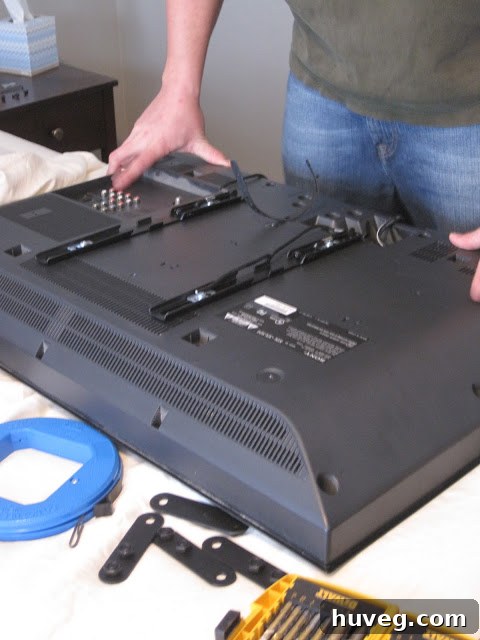
This step is critical for safety and stability. Use your stud finder to locate the vertical wooden or metal studs within the wall. Once located, mark their positions clearly with your pencil. The wall bracket MUST be securely fastened to at least two studs to prevent the heavy and expensive TV from falling. Use a level to ensure the wall bracket is perfectly horizontal before drilling pilot holes for the lag bolts. Once pilot holes are drilled, use a socket wrench to securely attach the wall bracket to the studs. Simultaneously, attach the TV-side brackets to the back of your television, following the specific instructions provided with your mounting kit. These brackets will interlock with the wall bracket, holding your TV in place.
4. Plan Wire Entry Point for In-Wall Cable Management
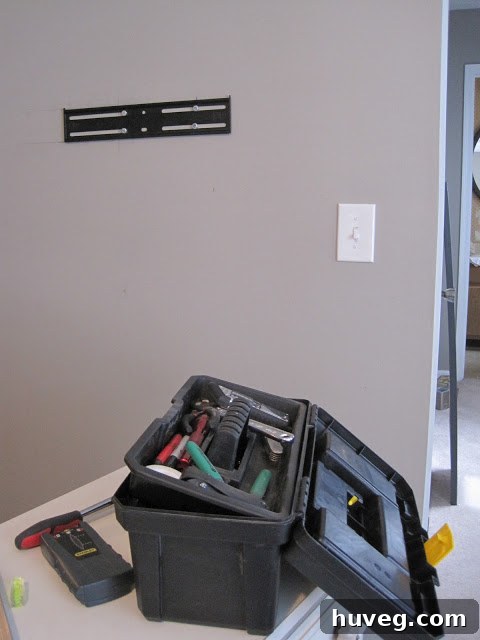
Now that the mount is in place, it’s time to plan for discreet wire management. Carefully hold your TV up to the mounted bracket on the wall (it’s best to have a helper for this). With the TV in its intended final position, identify where the various cables will connect to the back of the TV. Mark this spot precisely on the wall with your pencil. This mark indicates where the upper hole for your cables will be cut. Crucially, ensure this hole will be completely hidden by the TV once it’s mounted, maintaining a clean, professional look.
5. Cut the Upper Hole for Wire Entry
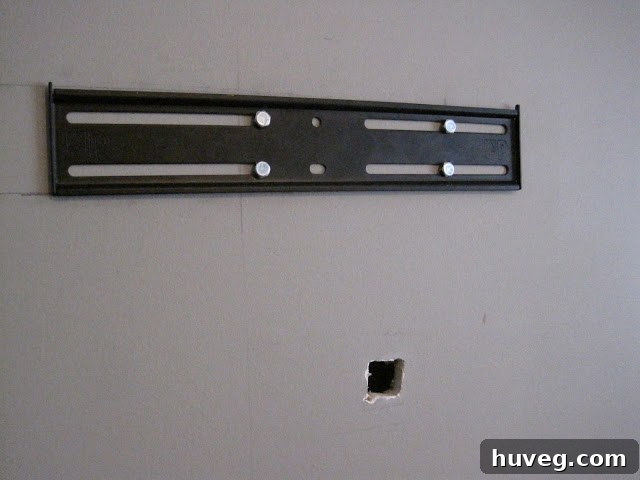
Using the mark you just made, carefully cut the initial hole for your wires. Start with a box cutter or utility knife to score the outline, which can help prevent the drywall from tearing. For a cleaner and easier cut, especially if dealing with thicker drywall, switch to a jigsaw or a dedicated drywall saw. Cut a rectangular or square opening large enough to accommodate all your cables easily. Take your time to ensure a clean cut; this will be the entry point for all your AV and network wires into the wall cavity.
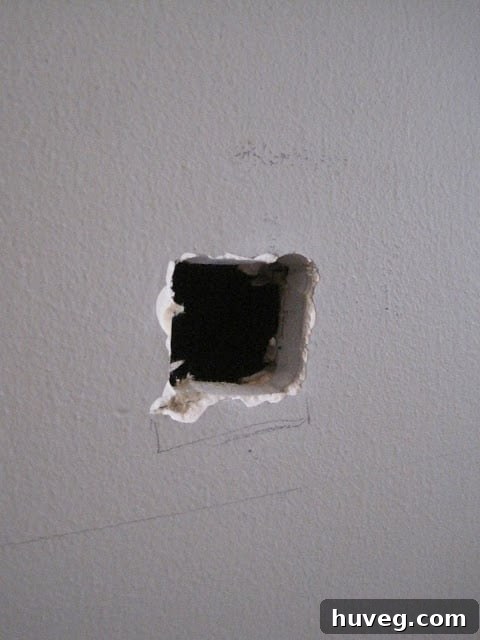
Safety Note: Always wear safety glasses when cutting into walls to protect your eyes from dust and debris.
6. Ensure Proper Supervision (and a Good Laugh)
While this step might not be strictly procedural, having a furry friend or a patient partner around can make the process more enjoyable. Plus, they offer moral support and might even provide an unbiased opinion on your “mess-making” skills. A little levity goes a long way in any DIY project!
7. Cut the Lower Hole for Wire Exit
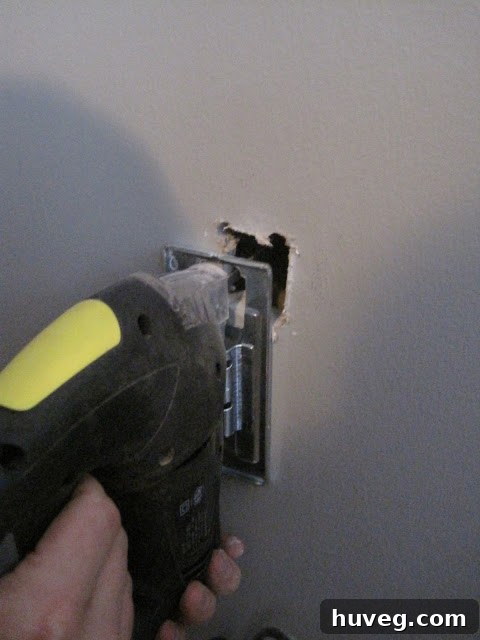
Now you need an exit point for your cables near the power outlet and your media devices. Measure vertically from the upper hole down to a point close to your power outlet, ensuring this lower hole aligns perfectly with the upper one. This vertical alignment is crucial to avoid encountering any horizontal studs within the wall cavity, allowing for a clear path for your fish tape. Mark this spot precisely and use your jigsaw or drywall saw to cut an opening similar in size to the upper one. This will be where your neatly routed cables emerge from the wall.
8. Introduce Your New Best Friend: The Fish Tape
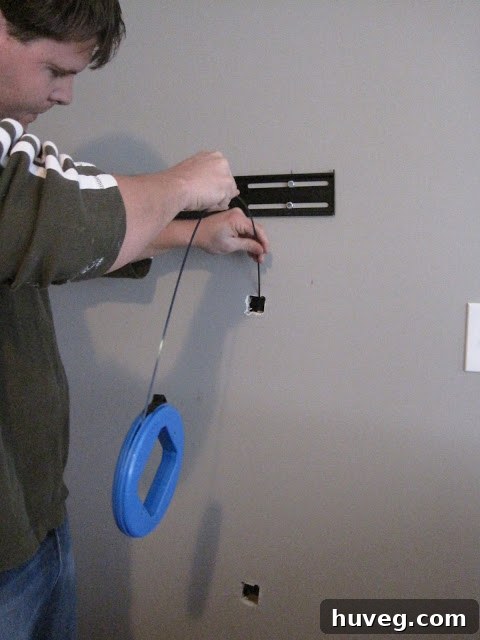
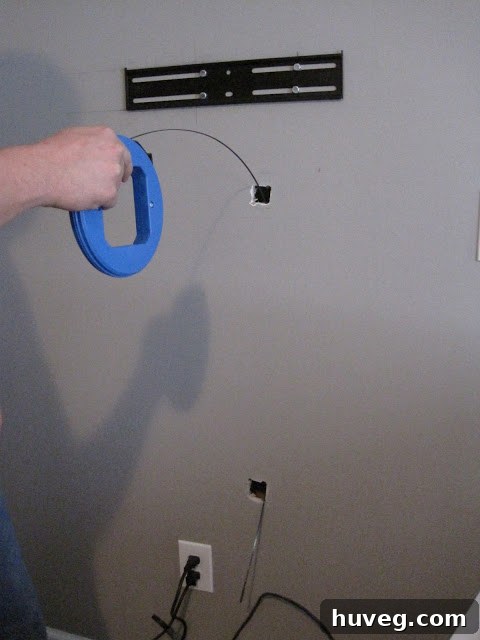
This is where the magic of wire concealment truly happens. Meet the fish tape, a flexible yet sturdy tool designed specifically for routing wires through walls. This “snake thingy” will save you immense frustration and awkward contortions. Insert the fish tape through the upper hole, gently guiding it downwards. You’ll hear it slide through the wall cavity.
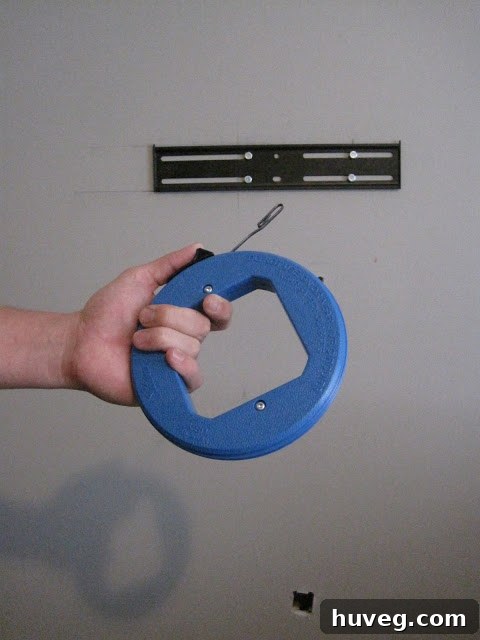
Once the end of the fish tape emerges from the lower hole, securely attach all your TV cables (HDMI, optical, network, etc.) to the end of the fish tape using strong electrical tape. Make sure the connection is robust and streamlined to prevent snagging. Then, gently pull the fish tape back up from the top hole, carefully drawing all your connected wires through the wall cavity. This simple tool transforms a challenging task into an incredibly easy one, eliminating the need to arch your fingers in weird angles trying to find errant wires.
9. Connect Cables and Prepare for Mounting
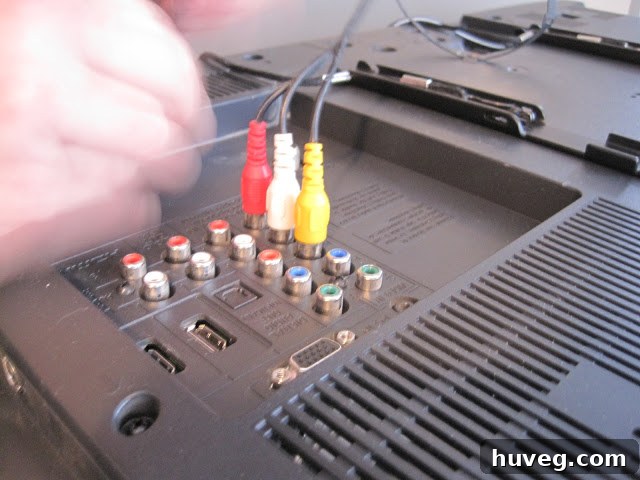
With all your signal and network wires successfully routed through the wall, it’s time to make the initial connections. At the top hole, connect your HDMI, audio, and any other relevant cables to the corresponding ports on the back of your television. Ensure all connections are snug and secure. At the bottom hole, prepare the cables to connect to your media devices. Now, take a moment to stretch, take a deep breath, and mentally prepare for the most exciting part: lifting your TV onto the wall mount!
10. Carefully Mount the TV onto the Wall Bracket
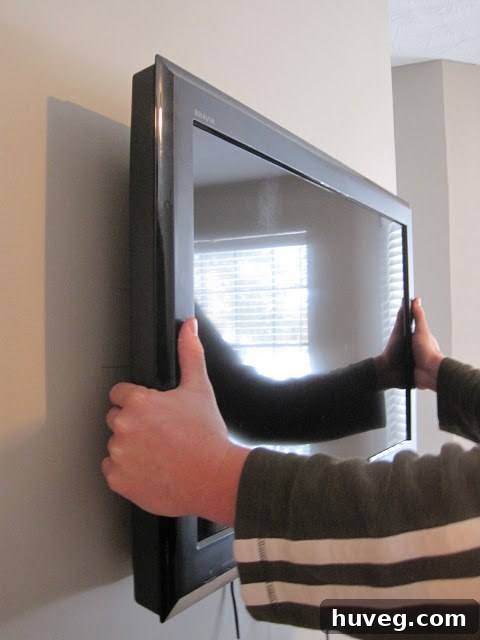
This is undeniably a two-person job, especially for larger or heavier TVs. With one person lifting the TV and carefully aligning its brackets with the wall mount, the other person should guide the cables from the lower wall opening, ensuring they don’t get tangled or bunched up behind the TV. Slowly and carefully hook the TV onto the wall mount, making sure both sides click securely into place. This collaborative effort ensures a smooth and damage-free installation.
11. Secure the TV with Locking Mechanisms
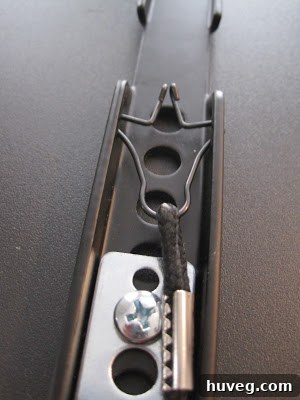
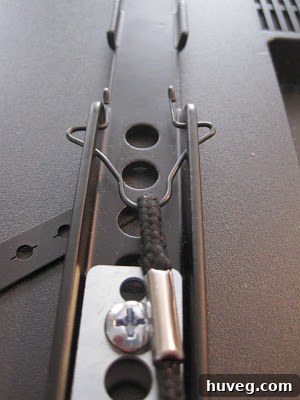
Many wall mounts come with integrated locking mechanisms, often small strings or levers, designed to secure the TV firmly to the mount. These strings usually hang below the TV once it’s mounted. By pulling these strings, the locking tabs snap into place, ensuring the TV cannot accidentally be lifted off the mount. This critical step guarantees your TV is snug and secure, providing peace of mind. Consult your mount’s instruction manual for the specific operation of its locking system.
12. Fine-Tune Position and Clean Up
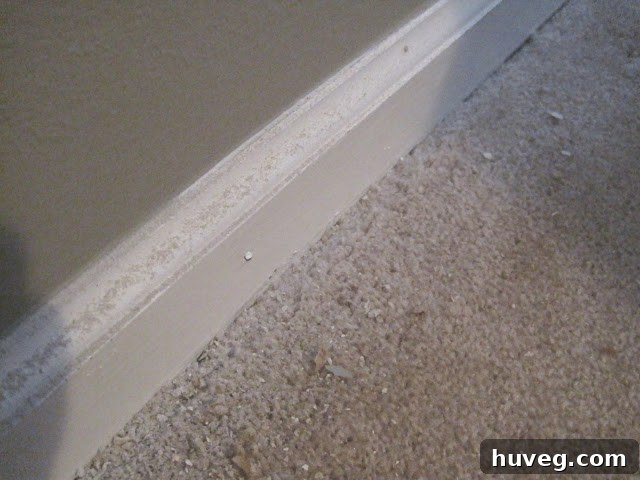
Even after securing, most wall mounts allow for minor adjustments. If your TV isn’t perfectly centered or level, you can often slide it along the mount rails to achieve the ideal position. Once you’re satisfied with the placement, connect the emerging cables to your media devices. Finally, and perhaps most satisfyingly, clean up any drywall dust or debris created during the cutting process. A thorough cleanup completes the transformation, leaving your space pristine.
13. Step Back and Admire Your Handiwork!
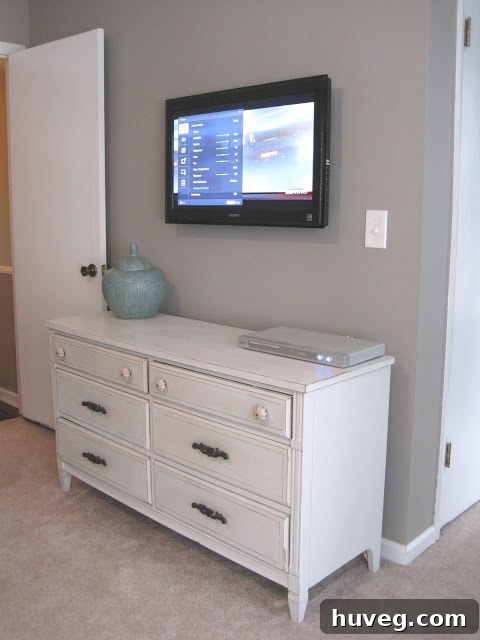
With everything connected, secured, and cleaned, take a moment to appreciate your hard work. You’ve successfully transformed your entertainment space, creating a sleek, organized, and ergonomically superior viewing experience. Enjoy your newly mounted TV and the clutter-free environment you’ve achieved!
Important Safety & Code Compliance: The Electrical Cord Disclaimer
While routing signal cables (HDMI, optical, network) through your wall is generally safe and code-compliant, it’s crucial to understand the rules regarding your TV’s power cord. Per the National Electrical Code (NEC) in the United States, running a standard TV power cord inside a wall is a violation. These cords are not rated for in-wall use and can pose a fire hazard. There are several safe and compliant alternatives:
- Recessed Outlet Kit: The safest and most professional solution is to install a recessed electrical outlet directly behind the TV. This requires extending an existing electrical circuit into the wall cavity, which should ideally be done by a qualified electrician or someone with extensive electrical experience. These kits typically include both a recessed power outlet and a low-voltage pass-through plate for your other cables.
- In-Wall Rated Power Cables: Some manufacturers offer specific power cables that are UL-rated for in-wall use. These are thicker and designed to meet fire safety standards. Ensure any cable you run inside a wall explicitly states it’s rated for this purpose.
- External Cable Management Channels: If cutting into your wall for electrical work isn’t an option, or if you prefer a simpler solution for the power cord, consider an external, paintable plastic cable management channel. These channels adhere to the wall and discreetly hide cables, providing a neat appearance without violating electrical codes. You can see an example of this method here. While it doesn’t hide wires *inside* the wall, it offers a clean, paint-matched solution.
Always prioritize safety and compliance when dealing with electricity. If in doubt, consult a licensed electrician.
Final Thoughts on Your DIY TV Wall Mounting Project
Congratulations! You’ve successfully navigated the process of wall mounting your television and skillfully hiding those unsightly wires. This DIY project not only enhances the aesthetic appeal of your room but also significantly improves your viewing experience by eliminating clutter and optimizing screen placement. No more craning your neck in bed to see the bottom of the TV, and no more messy cables detracting from your carefully designed space. This is a true win-win situation for both style and comfort.
Embrace the satisfaction of a job well done and enjoy your beautifully integrated home entertainment system. This project demonstrates that with a bit of planning, the right tools, and a systematic approach, even seemingly complex home improvements are well within reach for the dedicated DIY enthusiast.