Flawed by Design Quote Art Plus Giveaway

Welcome back, creative minds! I want to extend a heartfelt thank you to everyone who shared their thoughts, comments, or simply sent positive energy after last week’s post. Reading your kind words this morning, amidst a sense of calm, was truly uplifting. It feels serendipitous that today’s sponsored art project aligns perfectly with the current mood. So, let’s dive into a crafting adventure that promises cheer and celebrates the beauty of imperfection!
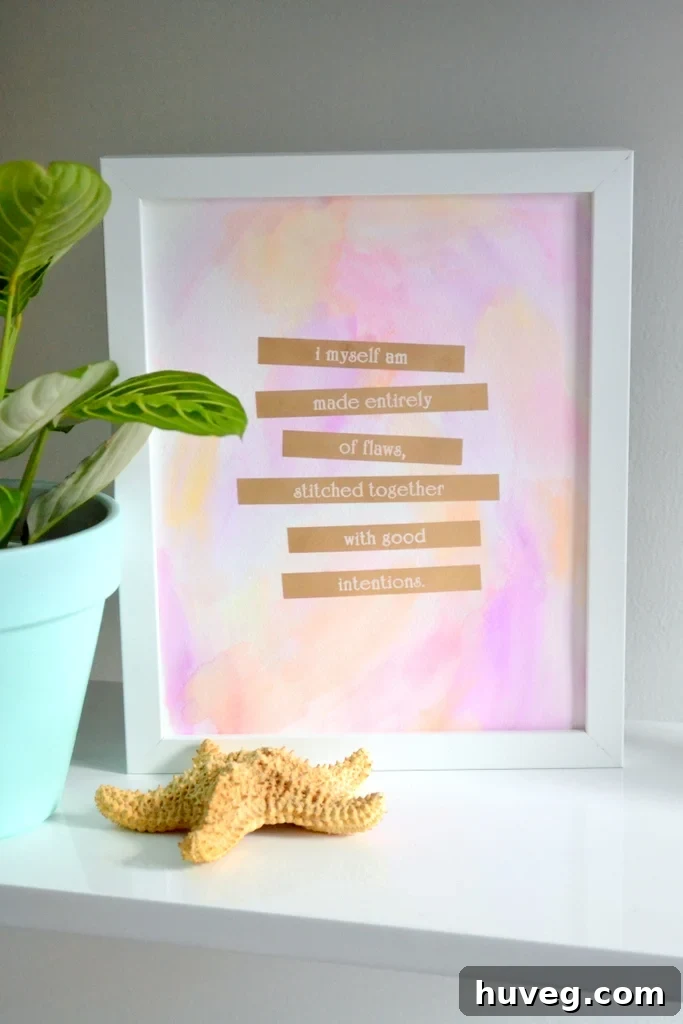
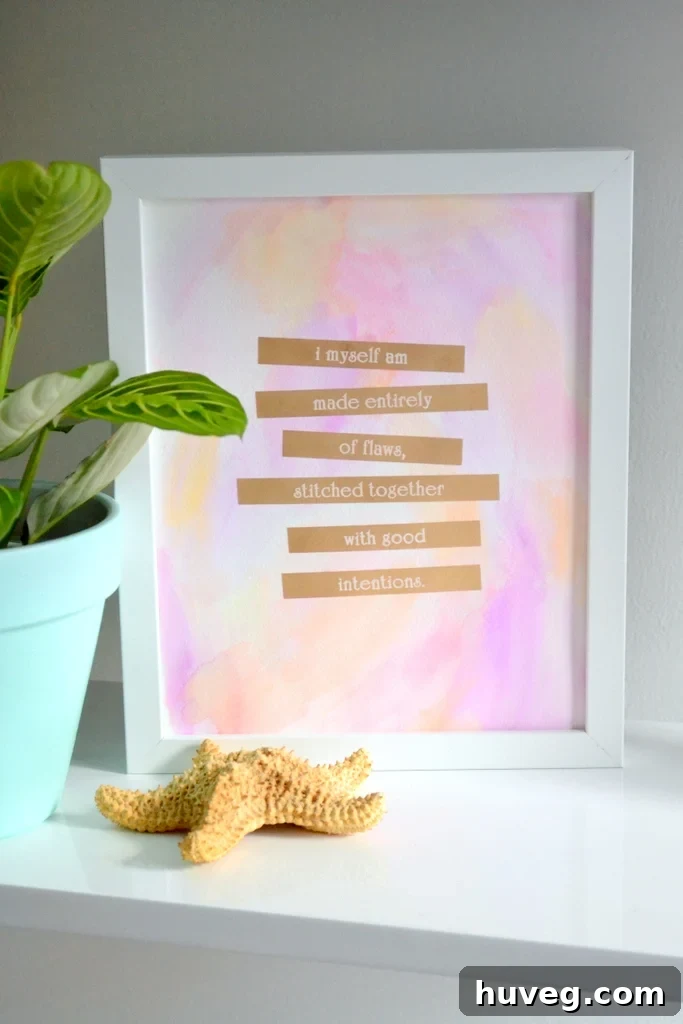
I’m thrilled to unveil a piece of art that’s full of character, and wonderfully—even intentionally—flawed, with a bright, cheerful aesthetic.
Have you ever been handed an unexpected item and challenged to transform it into something new? I recall such creative assignments being a frequent occurrence in childhood, particularly in art classes or during time spent with my grandfather. As adults, these spontaneous prompts seem to dwindle, yet they remain one of my favorite exercises—a true test of imagination, transforming a simple material into something unique through sheer creativity. This sense of playful creation is precisely what sparked my enthusiasm for today’s project.
When Brother approached me to craft office art using their versatile P-Touch PT-D200 Label Maker for April’s monthly DIY challenge, I admit I felt a mix of bewilderment and excitement. While my mind instantly conjured countless practical ways to label items around the house, creating art with a label maker felt like stepping into uncharted territory. How intricate, how artistic, could such a tool truly become? The prospect was both daunting and incredibly intriguing, promising a fresh perspective on a familiar office staple.
As it turns out, Brother offers a gold foil label maker tape, which, as many of you know, is perfectly aligned with my aesthetic. My office is practically a shrine to gilded accents, from the painted gold light fixture illuminating my DIY desk to my beloved gold leaf map art. Discovering this opulent tape immediately elevated the challenge from a practical labeling task to a genuine artistic endeavor. The next question, then, was what masterpiece could I conjure with this shimmering material?
Regular readers might recall my recent struggles, highlighted in last month’s post about creating a watercolor border for a quote, where I grappled with finding the perfect words to complement my vibrant watercolor backgrounds. What I hadn’t revealed then was the true nature of my dilemma: I actually *had* the ideal quote in mind. The problem was that the specific watercolor border I’d meticulously crafted just didn’t harmonize with the words once I began printing them on my P-Touch label maker. Instead of discarding the beautiful background, I tucked it away, patiently waiting for the right inspiration to strike—a quest that this weekend’s creative exploration has certainly reignited.
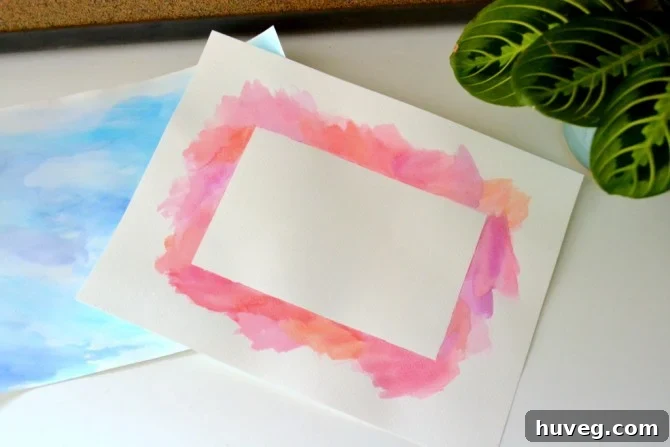
Ultimately, I prepared several watercolor backgrounds for this project, and a particular pink and orange blend emerged as the perfect canvas. The first step, as you might guess, involves setting this artistic stage:
1. Create Your Watercolor Background
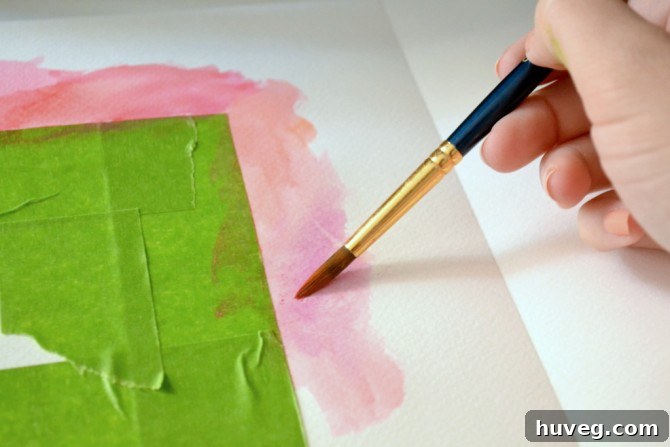
For those who missed last month’s quick DIY tutorial on watercolor backgrounds, the secret to achieving these beautifully mottled, light-colored effects lies in thoroughly wetting your paper. This saturation allows the watercolor pigments to flow freely, swirling and blending organically as you guide your brush. For this specific piece, I chose a palette of pink, orange, purple, and a hint of red, applying them randomly to achieve a vibrant yet subtle color variation. Unlike last month’s more saturated watercolor border, this background aimed for a softer, more ethereal blend, creating a gentle gradient that would perfectly complement the forthcoming gold foil text. Experimentation is key here; embrace the spontaneous nature of watercolor to let the colors truly come alive on the page.
2. Select Your Quote and Load the Label Maker
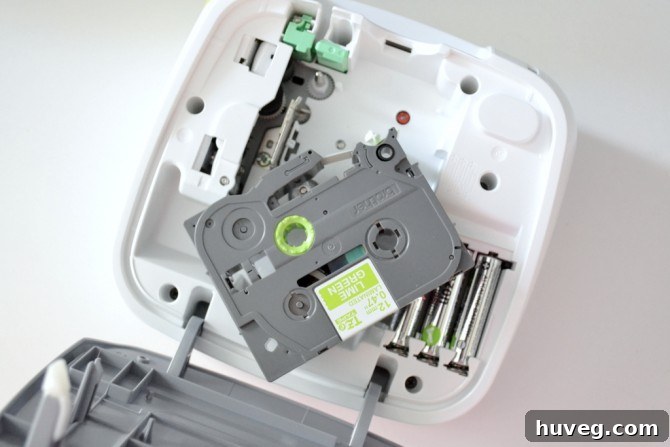
While my watercolor background dried, I began the exciting process of experimenting with fonts for my chosen quote. The Brother P-Touch label maker offers a surprising array of font styles, each with additional customization options such as bolding, italics, outlines, various sizes, and symbol integration. Brother generously provided a selection of tape colors, including vibrant green, playful pink, and the dazzling gold and silver foil options. My choice, however, was unequivocally gold foil, given its shimmering appeal and my office’s existing décor. Despite being a first-time label maker user, I found the device incredibly intuitive. Loading the cartridge was a breeze—simply pop in the batteries, insert your preferred tape color, and you’re ready to create. This ease of use makes the P-Touch PT-D200 an accessible tool for both practical labeling and imaginative crafting projects, empowering users to bring their creative visions to life with minimal fuss.
3. Print and Experiment with Your Design
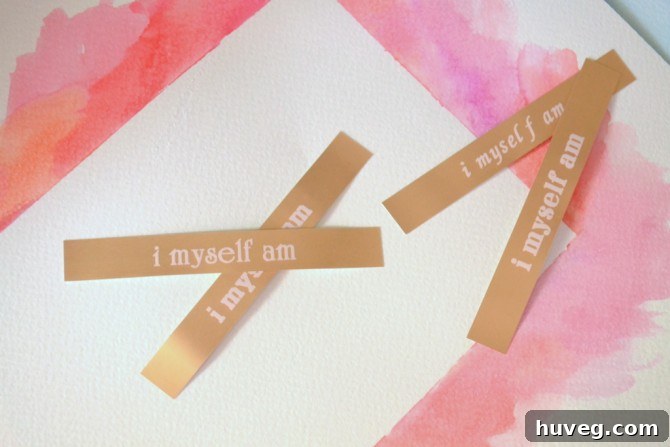
With my quote selected, the next step involved printing and refining the aesthetic. To conserve tape, I printed each line of the quote individually, allowing me to meticulously compare various font styles, sizes, and effects. This iterative process of experimentation is crucial for achieving the perfect visual impact. As you can see in the image below, I tested several combinations, even trying out a different watercolor background that, while beautiful, ultimately didn’t make the final cut for this specific project. This stage is about embracing trial and error, ensuring that the chosen text style not only enhances the message of the quote but also complements the vibrant watercolor backdrop. The versatility of the P-Touch label maker truly shines here, offering the flexibility to preview and adjust until the design vision is fully realized.
4. Thoughtfully Apply Labels to the Background
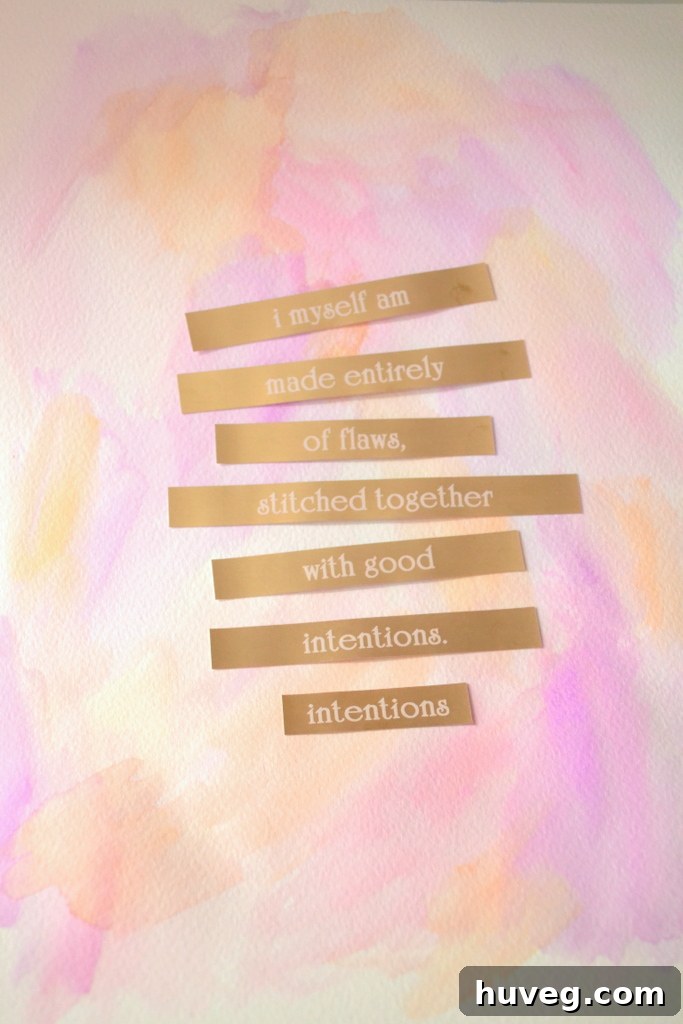
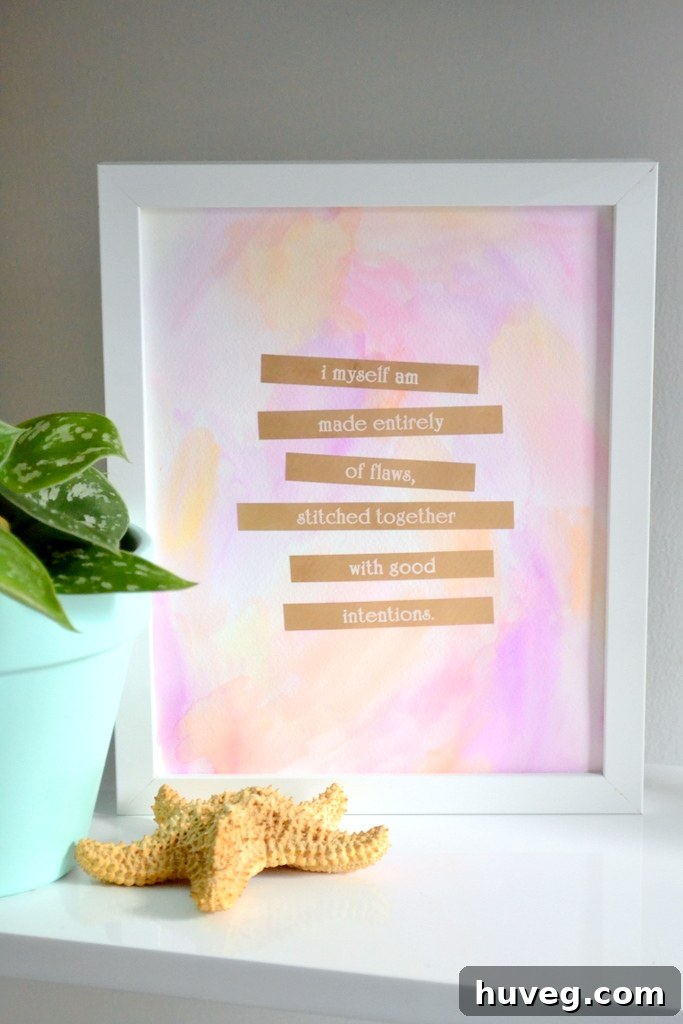
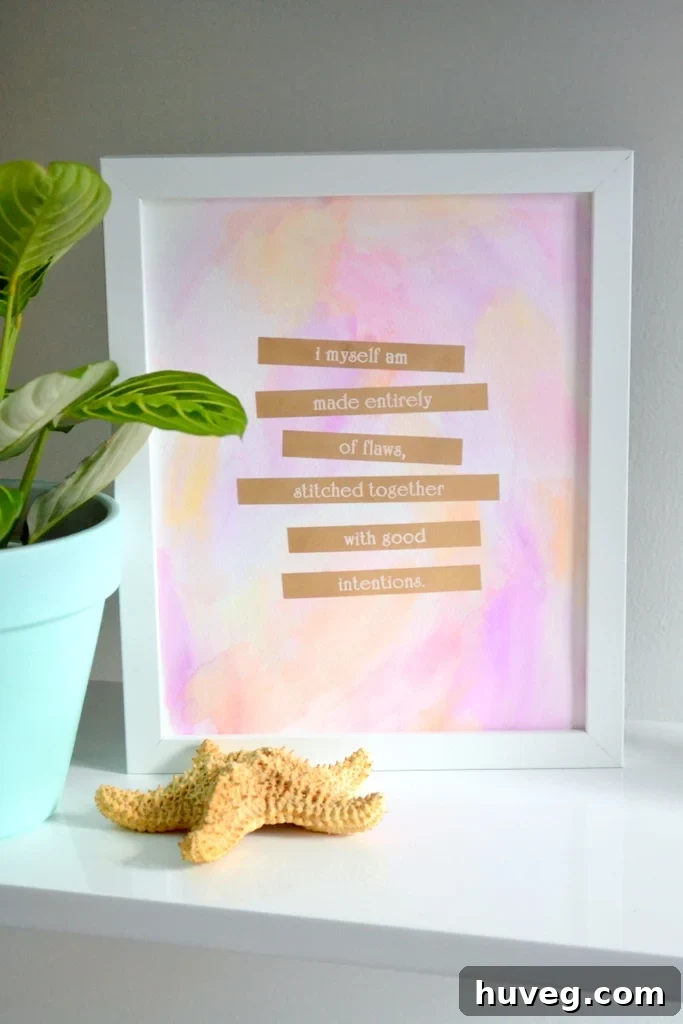
The profound beauty of this particular artwork lies in its embrace of imperfection, a theme directly mirrored by the chosen quote. The author, Augusten Burroughs—an exceptionally talented writer, by the way—crafted a sentiment that resonates deeply with the human experience. Therefore, I deliberately chose not to align each line of the quote with absolute precision. The labels, complete with their peel-off backing, made it incredibly simple to arrange each line, allowing me to subtly tszuj them into their perfect, slightly off-kilter positions. This intentional unevenness enhances the organic, handmade feel of the piece, celebrating the very “flaws” it speaks of. I also debated whether to trim the excess gold foil ends from each side of the quote (you can observe two variations at the bottom of the image), but ultimately decided that the subtle glint of extra gold added an unexpected touch of elegance, completing the unique character of the artwork.
5. Frame and Artfully Display Your Creation
And just like that, the artwork is complete! Framing it provides a polished finish, ready to adorn any space. I’ve found that introducing a touch of greenery alongside artwork adds an engaging textural element and a breath of fresh life to the display. For those curious, the plants featured here were a spontaneous $2 find at Walmart, and they’ve been thriving ever since, proving that beauty doesn’t have to come with a hefty price tag. This simple addition helps create a dynamic vignette, making the art feel even more integrated into the room’s overall aesthetic.
(Optional) Step 6: Capture Your Art with Photography
Just a lighthearted addition – while I needed to photograph this piece for the blog, you don’t necessarily need an extra step! This entire artwork comes together in just four straightforward steps, making it an ideal afternoon project. In person, the gold tape possesses an even more brilliant sheen than captured in photographs. Gold foil can be notoriously tricky to photograph while maintaining legibility, often appearing a bit browner in images than its true, radiant golden luster. Rest assured, the real-life piece sparkles with a rich, authentic gold glow.
All things considered, this project was an absolute delight to create. Its simplicity, much like the style of art I’m often drawn to, belies the deep satisfaction it brings. The essence of these monthly DIY challenges has always been to keep those creative juices flowing, and I believe they’ve successfully achieved that goal. (You can explore January’s needlepoint art here and March’s watercolor border project here. February, a shorter month, saw a project that’s still awaiting its frame, but it exists!) I’ve discovered that once I commit to a creative spark, one project often leads organically to another, then another. This chain reaction has led to a delightful collection of new creations, all thanks to my trusty label maker, under the hashtag #craftnado.
Brother also collaborated with several other talented bloggers on creative projects, and we’ve all been sharing our innovative creations on Pinterest. You can explore the pieces I found particularly pin-worthy—and long-term readers might even spot a very essential label among them!—by visiting my dedicated Trends: Label It board here. It’s a fantastic resource for inspiration, showcasing the incredible versatility of the Brother P-Touch PT-D200 beyond traditional labeling, inspiring everything from personalized home décor to unique gifts. The sheer range of applications discovered by the blogging community highlights how a simple tool can ignite a vast spectrum of creative endeavors.
This post originally featured an exciting giveaway for a Brother P-Touch PT-D200 Label Maker and a set of three cartridges (including Berry pink, Lime green, and classic black-on-white tape). The giveaway, open to Canada and U.S. residents, concluded on Friday, May 9th, at 11:59 EST. While the contest is now closed, it’s worth noting that the P-Touch PT-D200 is an incredibly versatile and user-friendly tool for anyone looking to organize their home, office, or embark on creative DIY projects like the one shared today. Its ability to handle various tape colors and styles, including the elegant gold foil, makes it a must-have for crafters and organizers alike. The interactive entry method invited participants to share what they would label first in their home – from mail sorters and pantry shelves to playful ideas like labeling a pet – highlighting the endless possibilities and fun this device brings to everyday tasks and creative endeavors.
View Rafflecopter giveaway details (now closed)
Disclaimer: A special thank you to Brother and Loop88 for their valuable partnership in making this campaign possible. While this content is a sponsored post, all expressed words and opinions are, for better or worse, entirely my own and reflect my genuine experience.